Kaish App
Tag, review, report, present, and share from the iPad-first coaching workflow.
Open App guide
Use the game video you already have. Tag the important moments, teach from them, and securely share the right clips with players across iPad, Mac, and Web.
Founding Coach offer: the first 100 new Pro annual customers pay $99 for year one with code FOUNDING99. Offer ends October 31, 2026 and renews at $179/year. Personal first-game setup is included.
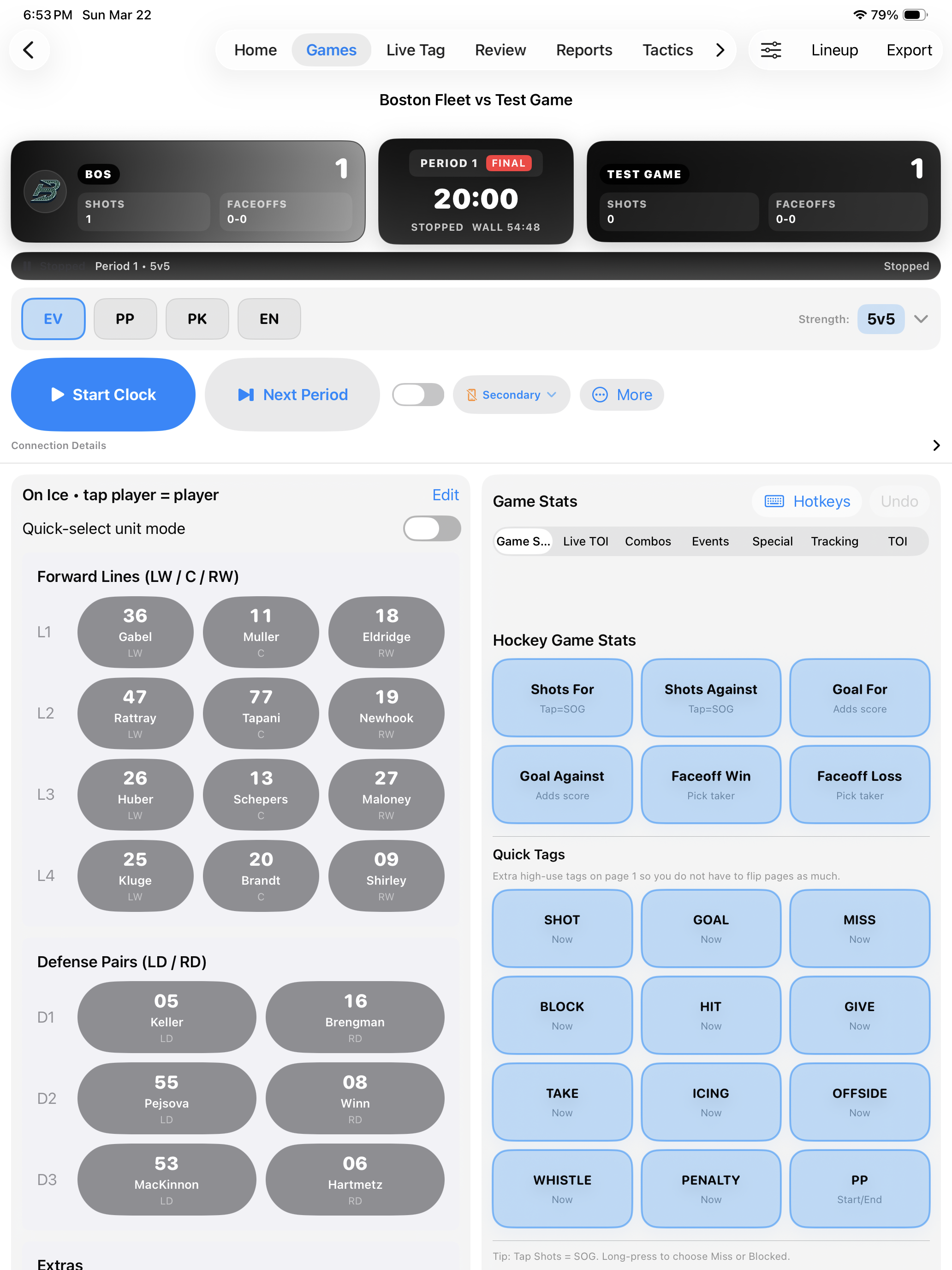
Learn how Kaish handles coaching, capture, analysis, web access, scouting, and Hockey-specific team workflows from game video to the next team meeting.
Follow game setup, tagging, review, presentations, and export from one written workflow.
Tag, review, report, present, and share from the iPad-first coaching workflow.
Open App guideRecord live or code existing video on Mac, use Bench DVR with a supported direct Blackmagic input, then export Capture Share Files into Kaish App.
Open Capture guidePremium Mac analysis workstation for advanced coding, review, clip organization, presentations, and exports.
Explore Analyst workflowsWeb scouting, lineups, reports, game prep, and player/team context.
Open Scout guideOpen your coaching workspace in any browser to review, share, and work with your team.
Open Web guideUse a separately assigned Hockey workspace with its own sign-in, organization and team role, trial status, season scope, and approved historical-data access.
Open Hockey guideKaish is designed for real coaching work from first capture through final presentation. Instead of patching together disconnected tools, Kaish gives coaches one system for video capture, tagging, review, teaching, and team workflow.
Capture live games or code existing video with Kaish Capture, then bring the session directly into Kaish for review.
Run live tagging workflows with multi-sport flexibility, player tracking, and fast event capture built for real bench-side use.
Work in timeline review, filter teaching moments, build clips, and stay aligned to true game context.
Create coach clips, draw with telestration, and present clean playlists with clips, images, and external media.
Kaish Scout is a separate web scouting and evaluation workflow for reports, notes, watchlists, player tracking, and evaluations.
Kaish Capture brings video in. Kaish App handles review, teaching, and presentations. Kaish Web continues eligible workflows in a browser, while Kaish Analyst, Kaish Scout, and the separately assigned Kaish Hockey workspace support specialist work.
Record live or code existing video on Mac, tag and review clips, add notes, and export Kaish Share Files.
Review timelines, create coach clips, use telestration, build presentations, export, and run coaching sessions.
Continue eligible workflows in a browser and use Player Library to invite player accounts, share with the team or selected audiences, set expiration, and review viewing progress.
Open Kaish WebRun advanced Mac coding, review, clip organization, presentations, reports, and professional exports.
Explore Kaish AnalystManage scouting reports, notes, watchlists, lineups, evaluations, and team game preparation.
Explore Kaish ScoutWork inside the organization, team, role, trial, and season scope assigned during Hockey onboarding. Any approved data-integration scope is confirmed directly with Kaish.
Kaish keeps direct Blackmagic capture and DVR playback in separate views, so a coach can replay ready media without replacing or pausing the live input preview.
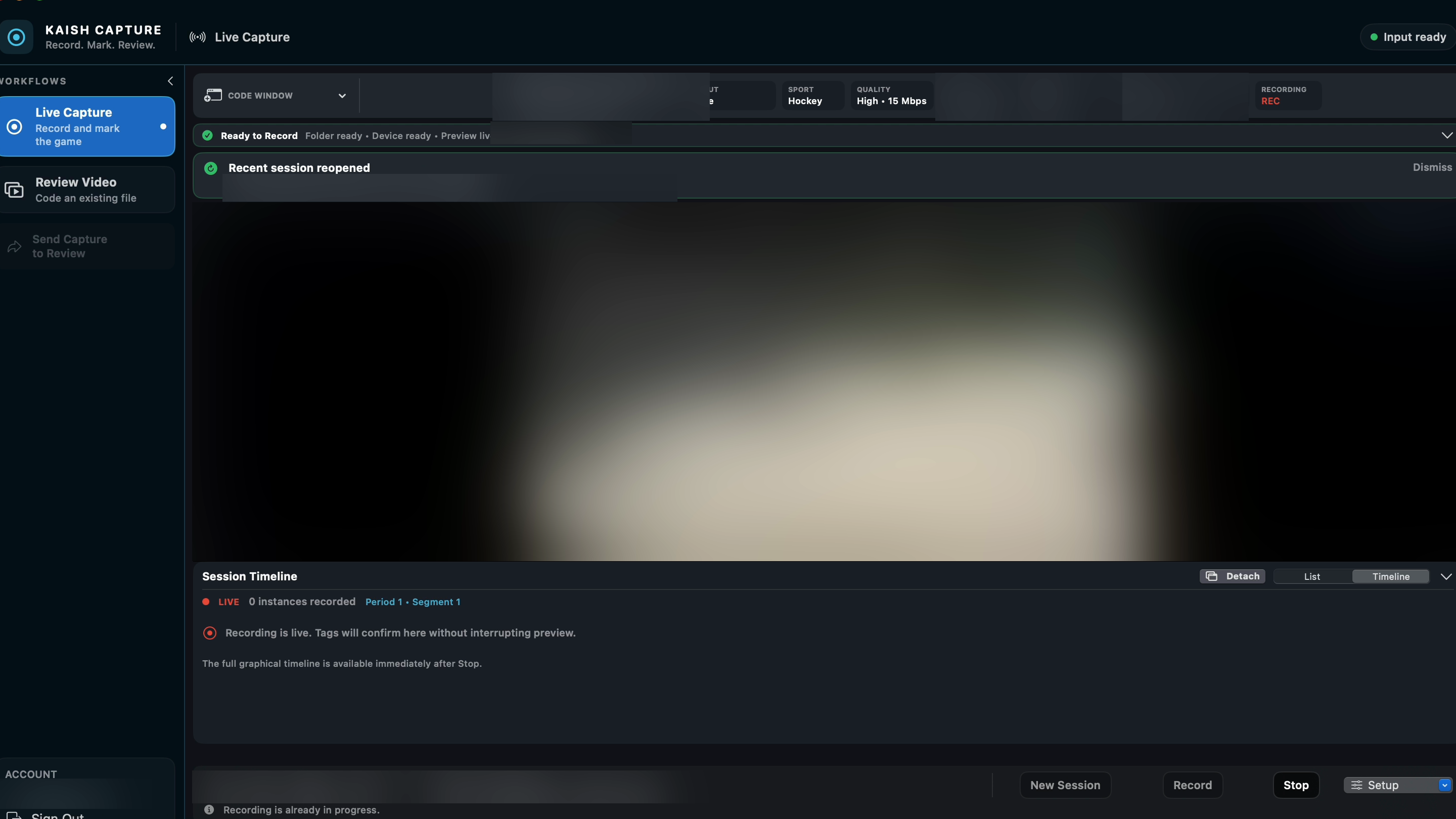
The recording state, live preview, session controls, and timeline stay in the Capture workspace while DVR playback opens separately.
Finish the coaching work, then deliver full games and presentations through a secure browser library built for invited player accounts.
Owners and admins create limited player accounts and can link each account to the matching roster player.
Share with the entire team, reusable groups, or individual players, with an optional expiration date.
Players sign in to Shared with you, open assigned games and presentations, and jump to their shifts when available.
Review recent viewing and completion progress, then disable access when a player no longer needs the library.
Kaish is built to help coaches show players exactly what matters. Use telestration, coach clips, and structured presentations to deliver clear, focused teaching moments.
Freeze key moments, draw directly on the play, and create clips built for teaching, not just watching.
Draw, highlight, and guide attention with simple tools that keep players focused on the play.
Build clean playlists with clips, images, and external video to run structured team meetings and player reviews.
Live Game Sync is exclusive to Kaish Team and built for staffs running the same live session across iPad, Mac, and Web. This is not after-the-game sync. It is a shared live workflow while the game is happening.
Controls clock start, lineup, and the live session so the staff stays aligned from the first event forward.
Tags live in the same shared session without taking over control, giving staffs more coverage without breaking flow.
Follows the session in real time for support, review, and communication without changing game state.
Record the game, bring the session into Kaish, review the timeline, and turn clips into clear teaching moments without bouncing between separate products.
Use Kaish Capture to record live video and session data from the source.
Bring the capture session into Kaish and move directly into the review workflow.
Review the timeline, filter key moments, and organize clips in true game context.
Create coach clips, pause on the key frame, and teach with telestration exactly where it matters.
Run a clean presentation with clips, boards, images, and external video for players and staff.
See live tagging, video review, Code Existing Video, telestration, presentations, export, and Live Game Sync.
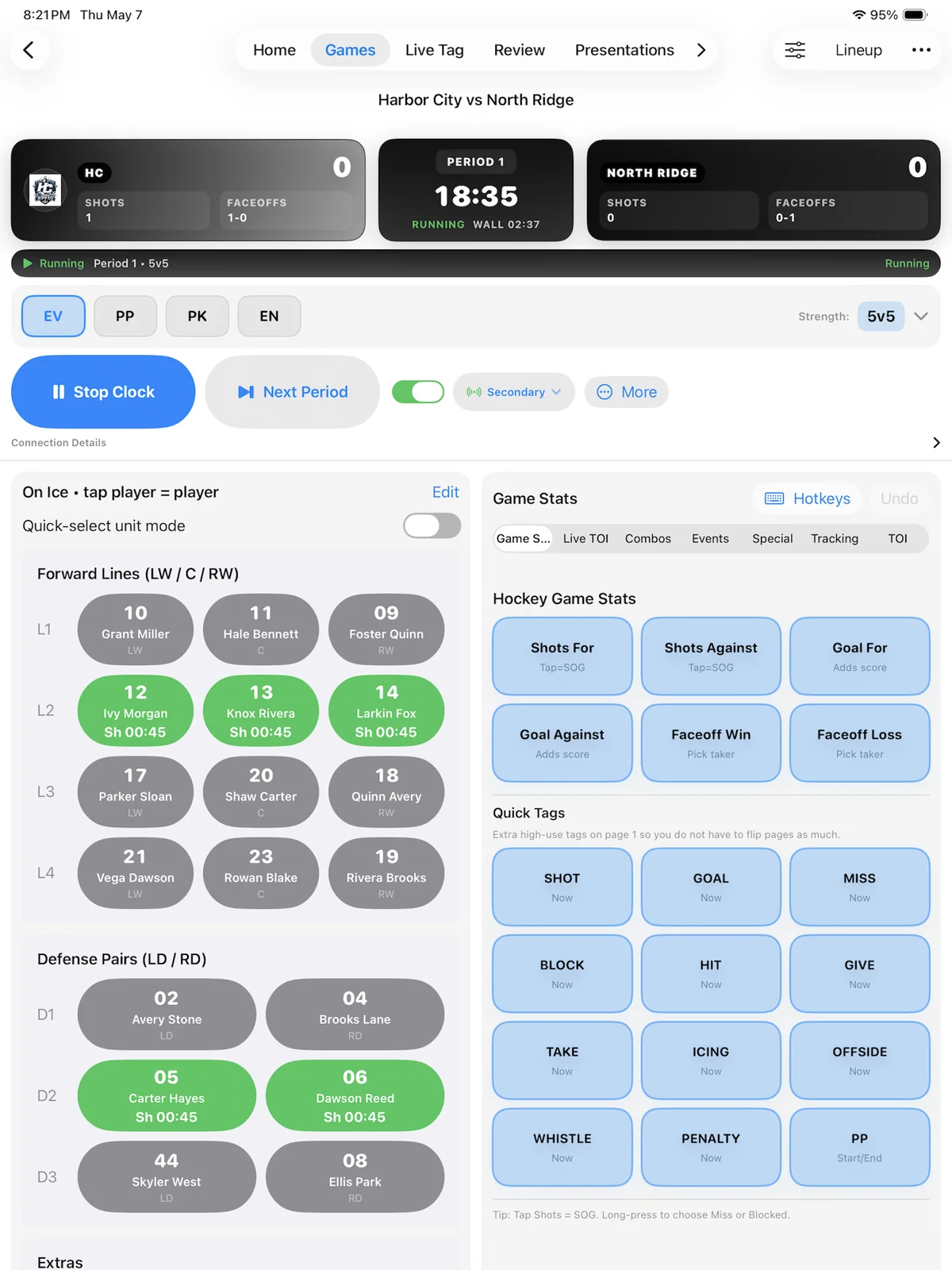
Capture key moments quickly while the game is in front of you.
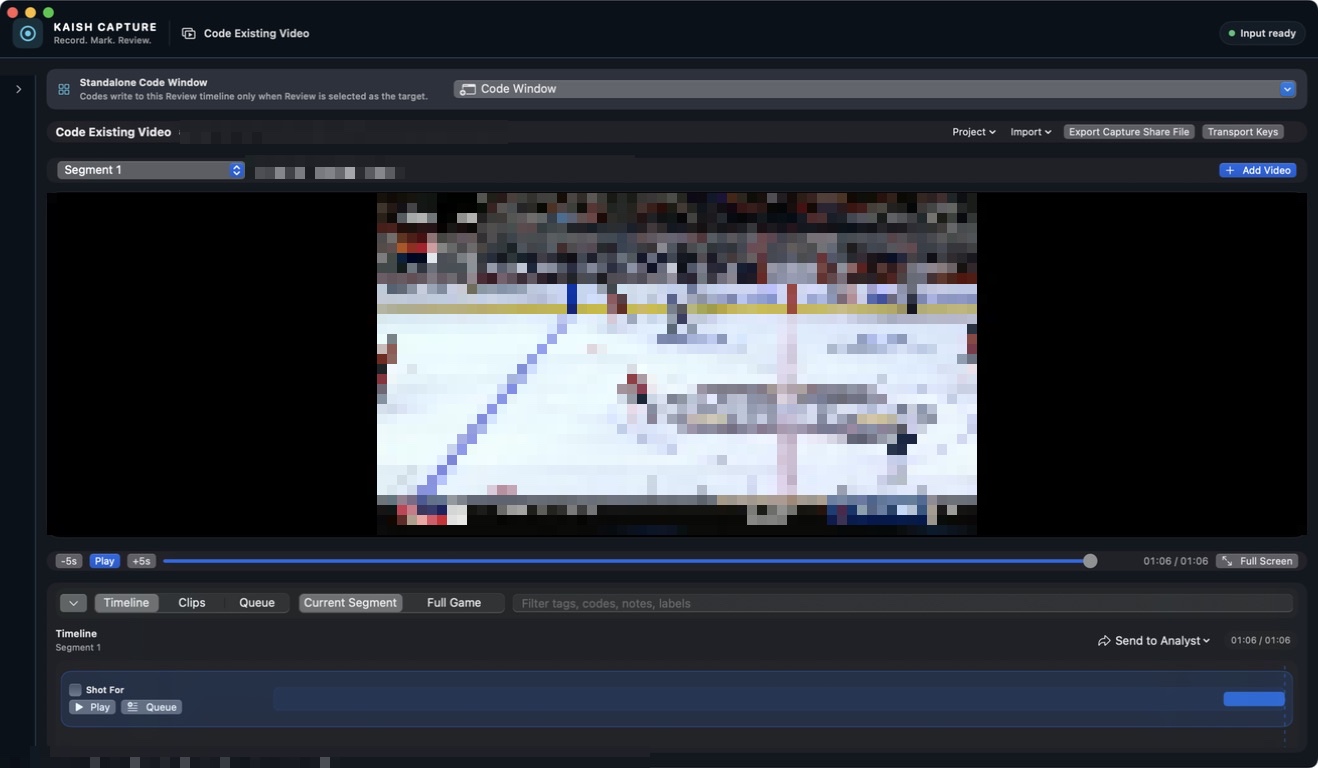
Import recorded video in Kaish Capture, tag key moments, preview clips, and export a Capture Share File into Kaish App.
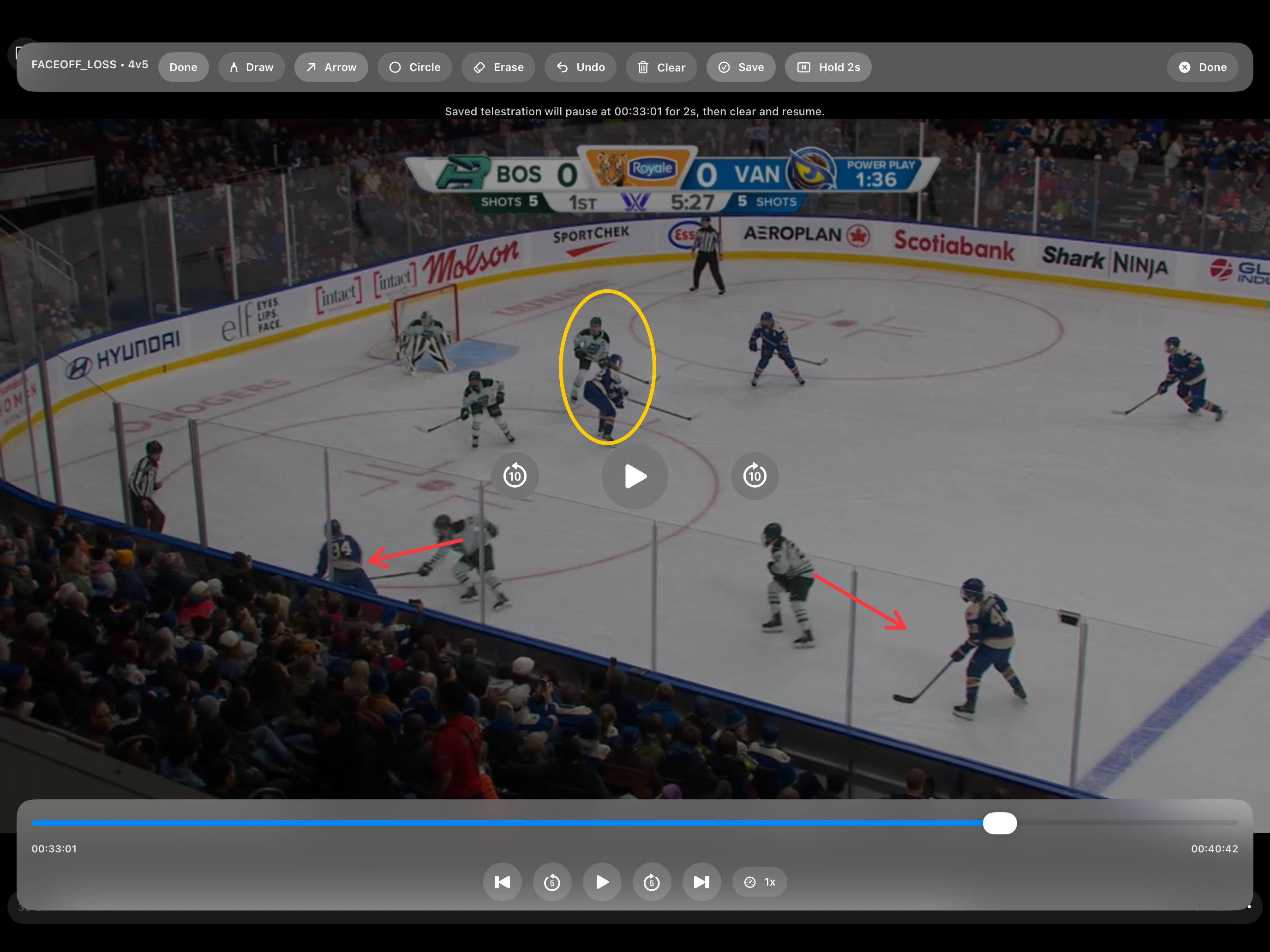
Draw directly on the video and teach the exact point that matters.
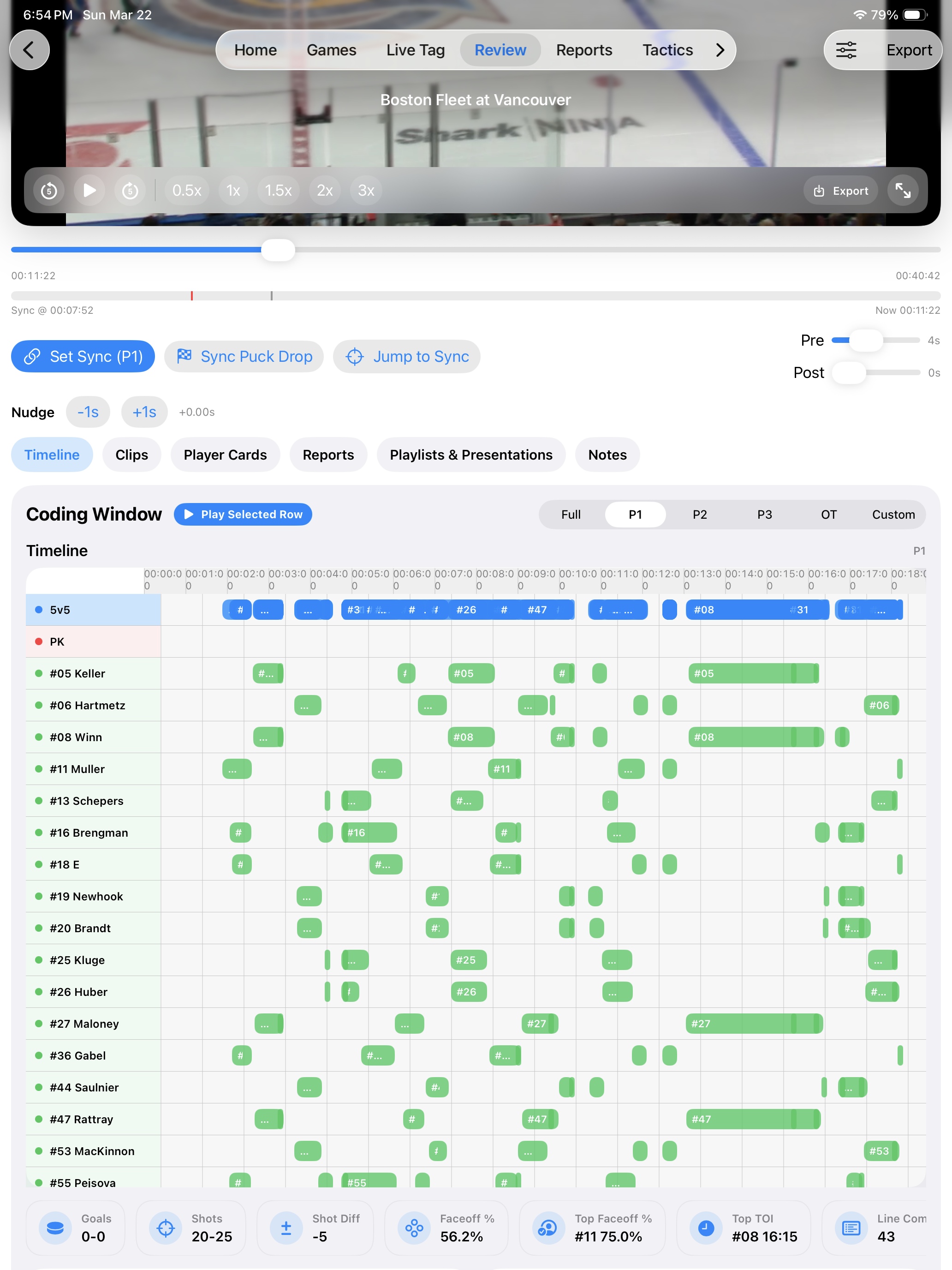
Create custom review tags with hotkeys, notes, timing, and coaching profiles while reviewing video.
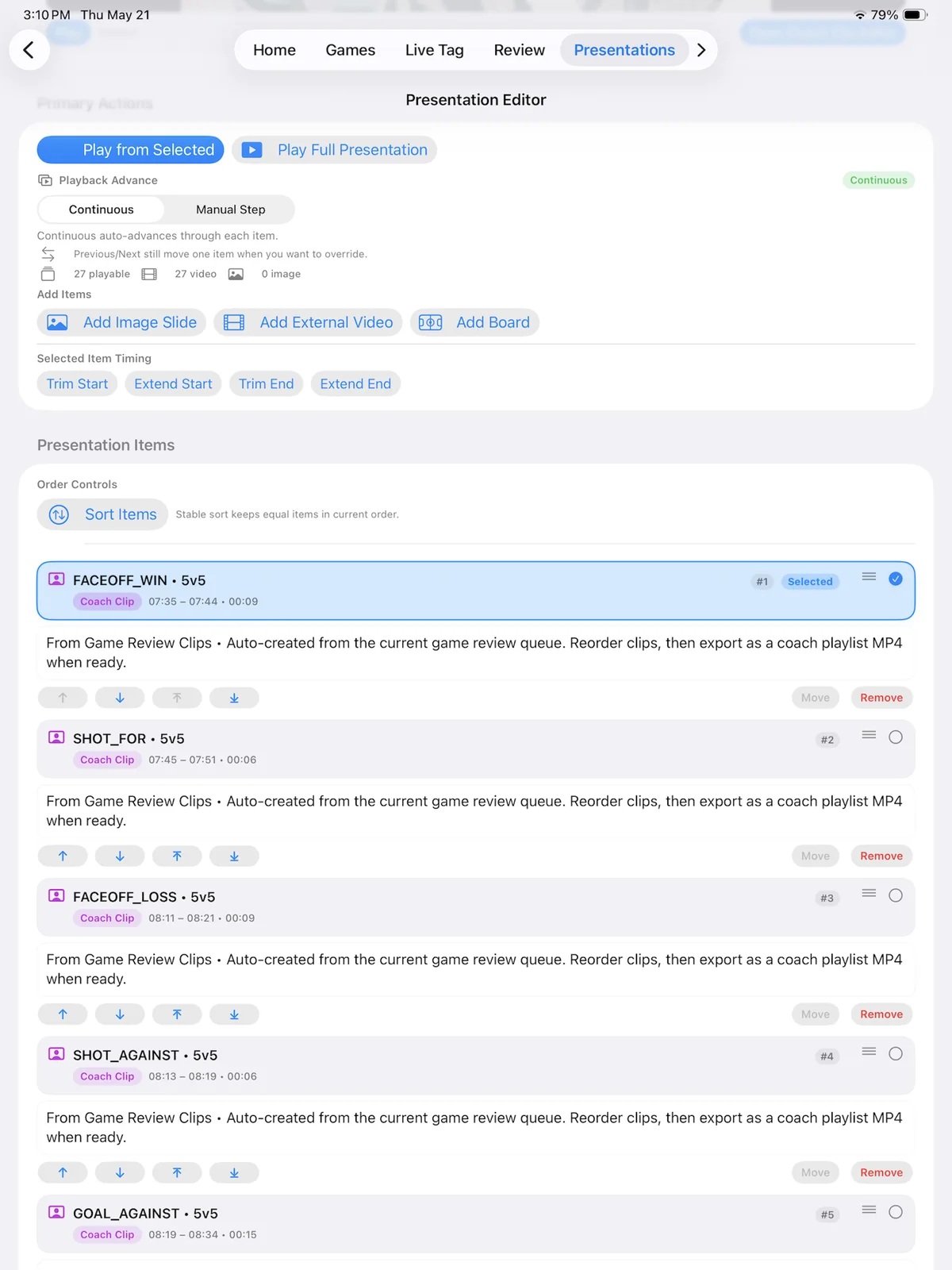
Build the lesson, organize the clips, and present it cleanly.
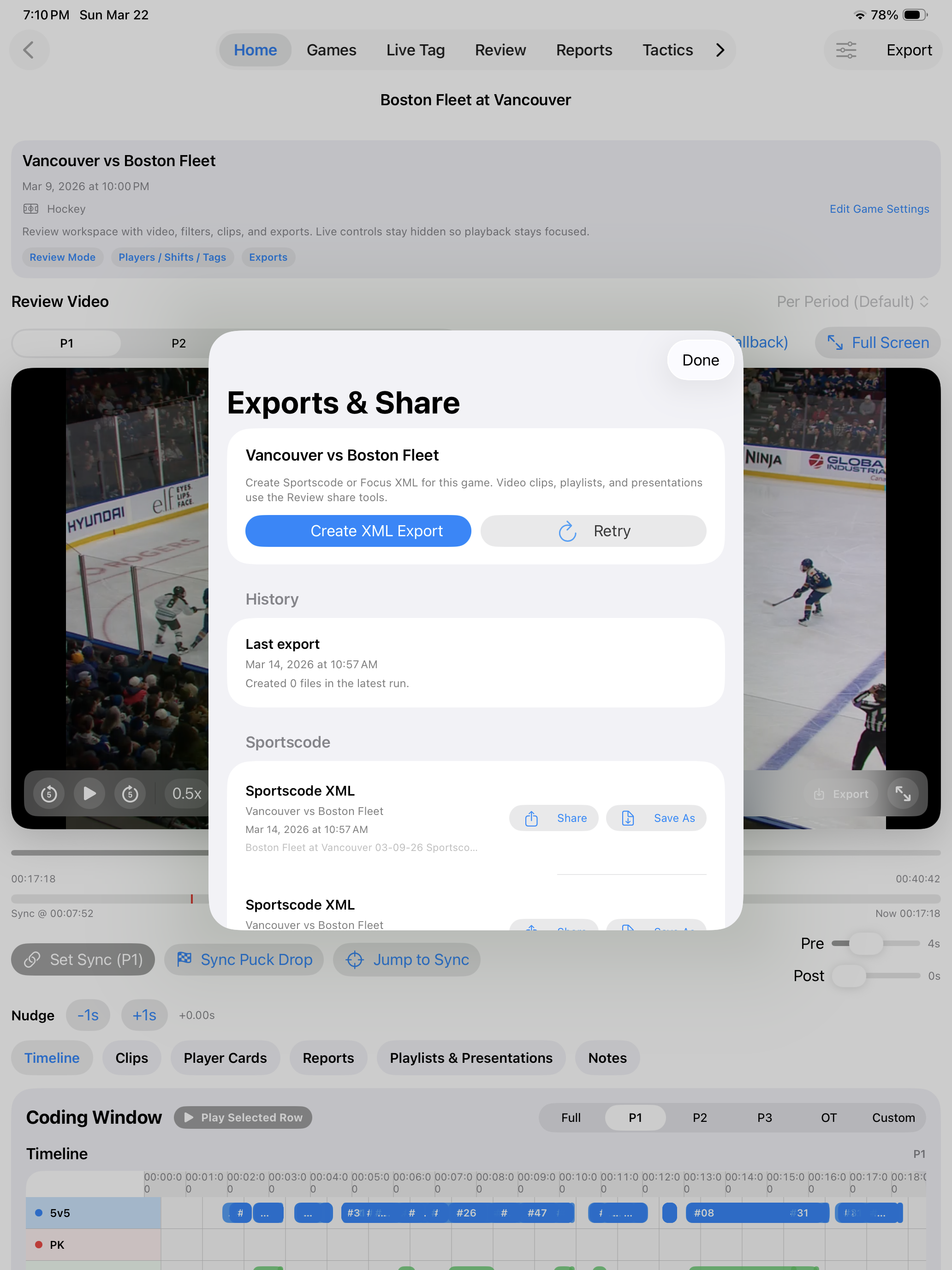
Finish the workflow with presentation and sharing options for staff and players.
Give the staff a shared live session with clear device roles and real-time visibility across iPad and Mac.
Use the video you already record. Kaish helps you tag the important moments, teach from them, and securely deliver the right video to players and staff.
Import a recorded game or capture it with Kaish, then move directly into tagging, review, clips, and presentations.
Get direct help configuring your first workflow so you can start with a real game instead of figuring everything out alone.
Send games and presentations to the entire team, selected groups, or individual players with access controls and viewing progress.
Download Kaish, use video you already have, and get personal help setting up your first game. Buy Pro or Elite securely on the web, or subscribe through the Kaish App. The same signed-in Kaish account unlocks the plan across supported iPad, Mac, and Web workflows.
Kaish Elite is the complete one-coach system: one team workspace, one Kaish Analyst seat, secure Player Library sharing, and Kaish Scout team access for that team. Kaish Team adds up to five staff, shared roles, and Live Game Sync. Included Scout access is activated separately during onboarding—it is team access, not an individual scout account, and it is not automatically provisioned by the Main Kaish sign-in. Multi-team organization access and standalone sport-wide Scout access remain separate upgrades.
The complete iPad-first workflow for live tagging, review, clips, reports, presentations, Share Files, and player time tracking.
Direct web purchases use your Kaish account and do not require App Store checkout.
The complete Kaish system for one coach and one team workspace—without paying for a five-person staff plan.
The complete shared coaching, analysis, and single-team game-prep workflow for a staff—including Team-only Live Game Sync.
Includes up to 5 staff, 1 Capture seat, 1 Analyst seat, Kaish Web, and separately activated Kaish Scout team access for one team, with guided onboarding.
Create or sign in with your Kaish account, then complete secure annual checkout. Guided team setup is included.
Kaish Analyst is a separate Mac workstation for deeper coding, review, clip organization, presentations, Capture workflows, and export.
For individual video coaches, analysts, consultants, and small staffs.
Includes Mac Bench DVR in the Analyst capture workspace when using the supported direct Blackmagic input route.
View Kaish Analyst PlansElite assigns one Analyst seat to the account owner. Team includes one assignable Analyst seat for the staff. Add more seats from Account & Team Admin.
Learn About Included Analyst AccessFor programs and organizations that need multiple teams, Analyst seats, or organization-level Scout access.
Discuss a Program PackagePro gives coaches a strong starting point. Elite delivers the complete one-coach system with Capture, Analyst, Player Library, and separately activated Scout access for one team. Team adds staff accounts, shared roles, and the live multi-device environment.
| Feature | Pro | Elite | Team |
|---|---|---|---|
| Live tagging and timeline review | Yes | Yes | Yes |
| Basic clip workflow | Yes | Yes | Yes |
| Basic telestration | Yes | Yes | Yes |
| Full coach clips workflow | — | Yes | Yes |
| Basic presentation playback | Yes | Yes | Yes |
| Full presentation system and playlist building | — | Yes | Yes |
| Kaish Capture | — | Yes | Yes |
| Bench DVR through compatible direct Blackmagic capture | — | Yes | Yes |
| iPad Bench DVR with compatible direct Blackmagic capture | — | Included | Included |
| Capture import workflow | — | Yes | Yes |
| Personal cloud sync | — | Yes | Yes |
| Advanced XML exports for pro video workflows | — | Yes | Yes |
| Secure Player Library sharing | Basic clips | Full | Full |
| Kaish Analyst seats included | — | 1 | 1 |
| Kaish Scout team access (separate onboarding activation) | — | 1 team | 1 team |
| Coach/staff accounts included | 1 | 1 | Up to 5 |
| Live Game Sync (real-time) | — | — | Yes |
| Shared coach accounts and roles | — | — | Yes |
| Primary / Secondary / Viewer workflow | — | — | Yes |
Choose the workflow that fits your staff, learn it quickly, and get direct help when you need it.
Compare App, Web, Capture, Analyst, Scout, and Team workflows before choosing a plan.
Use product guides, written workflows, troubleshooting, and step-by-step help in one Learning Center.
Request a focused demo, ask which workflow fits, or contact support with the exact product and issue.
Use Kaish for Capture, live tagging, timeline review, telestration, presentations, and shared team workflow in one faster coaching system.