Kaish Analyst How-To
How to use Tag Matrix Rules
Use rules to keep staff coding consistent when game states and event labels interact.
Know the editor layout
Select a button to edit its identity, hotkey, instant or manual mode, pre-roll, post-roll, and linked state behavior.
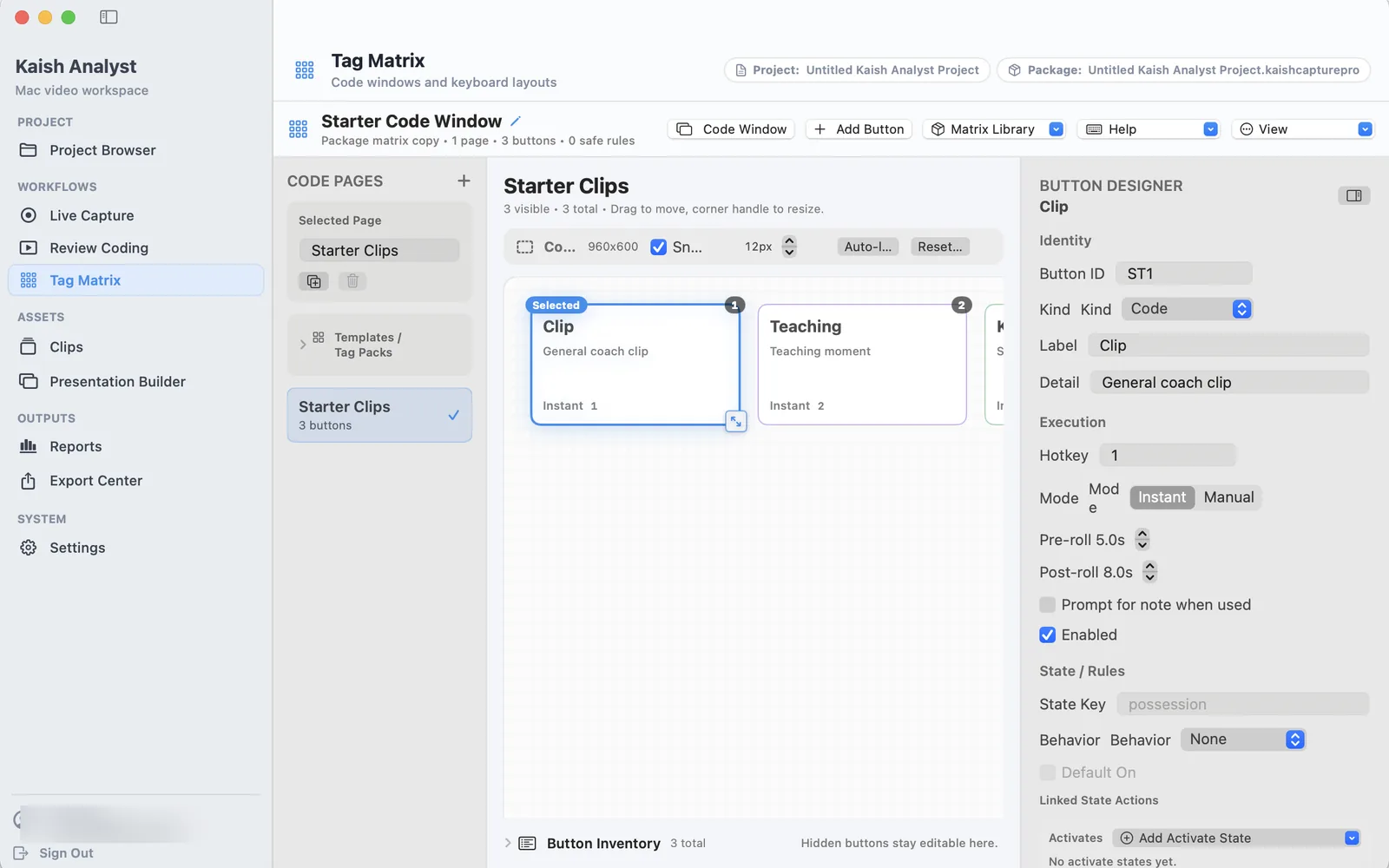
Create ES / PP / PK states
- Create state buttons for even strength, power play, and penalty kill.
- Train staff to toggle the active state before tagging related events.
- Keep state labels short and consistent.
Create Shot For / Shot Against
- Add event buttons for Shot For and Shot Against.
- Test each button against a short sample clip.
- Confirm labels appear the way your staff expects in review.
Use Rule Presets
- Start with a preset when the workflow matches your sport or staff language.
- Rename labels if your team uses different terms.
- Save a copy before changing a working matrix.
Add a label when PP is active
- Create or select the PP state.
- Create the rule that adds the desired label when PP is active.
- Trigger a sample event and verify the label lands on the right moment.
Turn Rules Enabled on or off
- Turn Rules Enabled on when you want rule labels to fire during coding.
- Turn it off when testing manual buttons or isolating a matrix issue.
- Re-enable rules before live or production coding.
Debug rule firing
- Check that the expected state is active.
- Confirm the rule is enabled and assigned to the correct event.
- Test one event at a time.
- Review the resulting labels in the clip list or timeline.
- If a rule is noisy, narrow the trigger condition before using it live.