Find, Package Clips, and Libraries
Search supported metadata across open documents or a selected folder, then collect precise playable clip ranges in the intended project, library, or presentation.
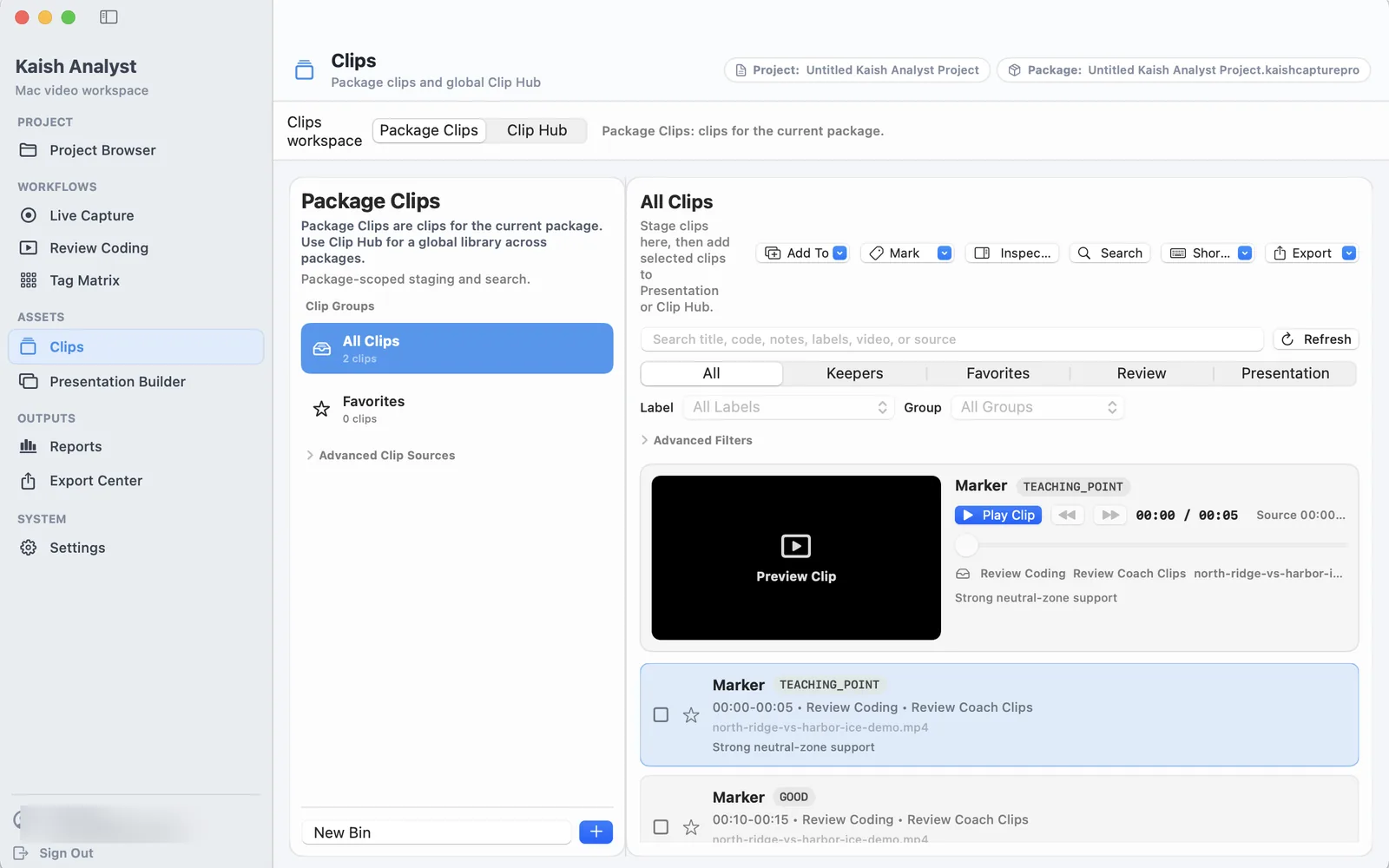
Package Clips and Clip Hub
Use Package Clips for work that belongs to the active project. Switch to Clip Hub when you need a reusable library across packages.
Find a moment and send it to the right destination
Use the steps below to confirm the source document and exact playable range before adding a result to a project, library, or presentation.
A real Kaish Analyst folder search: select a matching clip, add it to the active presentation, and confirm the success message. Only the private folder path is blurred.
Find across open files or a folder
- Choose Workspace → Find or press Command-F.
- Search a title, code/tag, label, note, source filename, presentation name, or clip/bin name.
- Choose Open Files, or choose a folder and optionally include subfolders.
- Review results grouped by source document.
- Open or focus a result and confirm its source document, media, and exact range.
- Focus the presentation that should receive clips, then add selected playable results.
Find searches supported Kaish metadata. It does not search video pixels, speech, or OCR. Folder scanning should be read-only and should not copy large media merely to index it.
Package clips
Project/package clips remain with the active Analyst project. Add them explicitly from Review or Find; do not assume every Review row is copied automatically.
- Use search and filters to narrow the list.
- Check title, source, start, end, and duration.
- Play the bounded range before adding it elsewhere.
- Focus the intended presentation before choosing Add Selected to Presentation.
Reference and portable libraries
| Document | Use | Media behavior |
|---|---|---|
.kaishclips | Reference clip library | Keeps source references and may require relinking. |
.kaishcliplibrarypack | Portable clip library | Copies required validated clip media. |
.kaishclippack | Portable selected clip handoff | Intended to contain the selected ranges after validation. |
- Open or create the intended library.
- Add only the selected clips.
- Reopen and play early, middle, and late items.
- For portable output, move a copy to another folder and verify it without the original path.
If media is missing, relink the source package or parent media folder. Never replace a missing range with an entire source segment.