Exporting and File Types
Choose a Kaish document or interchange format by what the receiver needs, then open a short sample in that receiver before a full job.
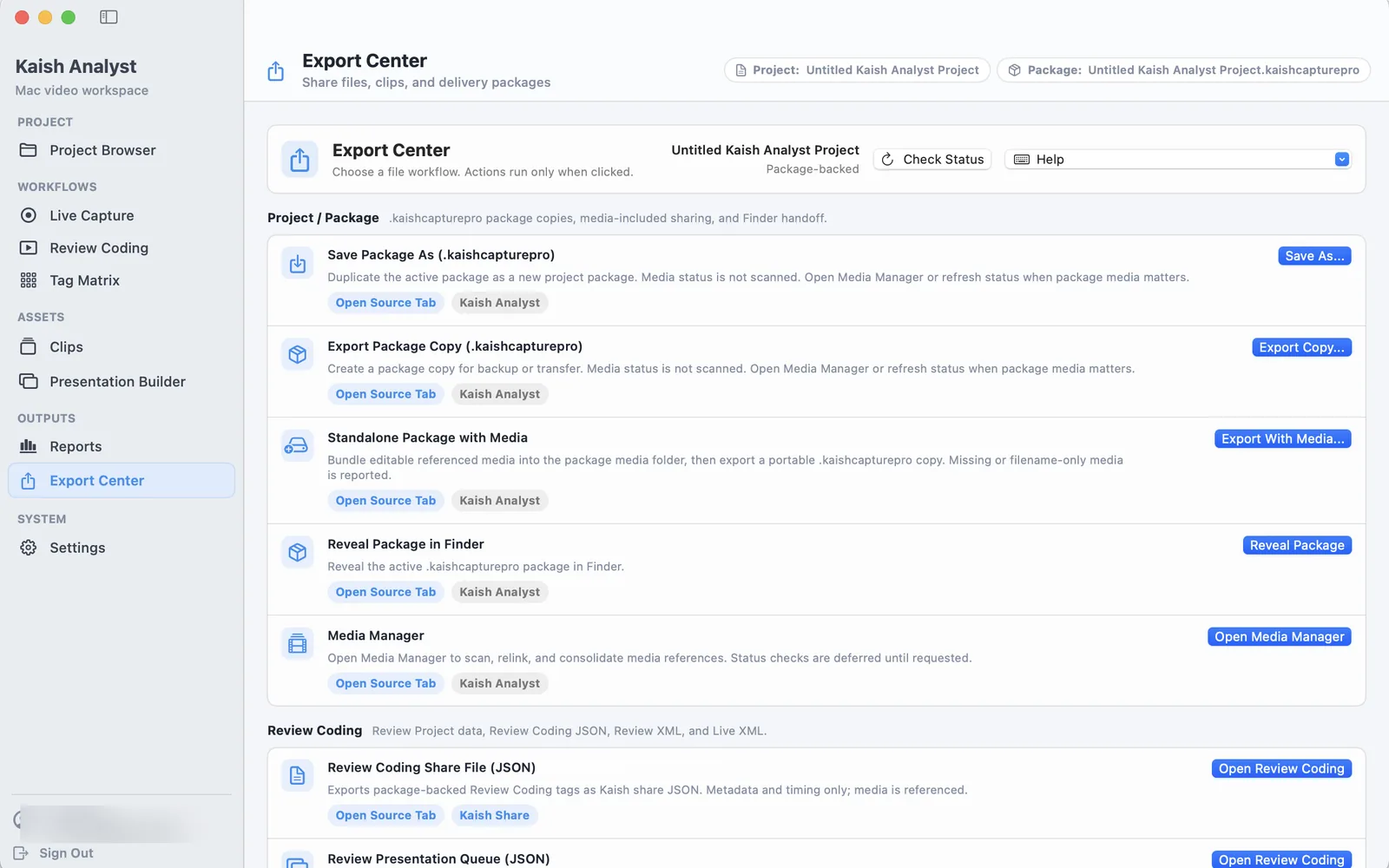
Start in Export Center
Export Center groups package copies, portable media, review data, and other handoff actions so you can choose the destination by what the receiver needs.
Test the receiving format with a short sample
Choose the output for its receiver, export one or two items first, and validate the result in that receiving application before a full job.
Main Kaish document types
| Document | Purpose | Media model |
|---|---|---|
.kaishcapturepro | Analyst project/package context | Depends on the package and linked media. |
.kaishcode | Timeline, tags, timing, notes, and segment order | A current portable package may contain media; a legacy/reference file may need relinking. |
.kaishdeck | Reference presentation | Keeps source references. |
.kaishdeckpack | Standalone presentation | Intended to copy selected clip ranges and required assets after validation. |
.kaishclips | Reference clip library | Keeps source references. |
.kaishcliplibrarypack | Portable clip library | Copies required validated clip media. |
.kaishclippack | Portable selected clips | Intended to contain selected validated ranges. |
.kaishcodewindow | Coding buttons, rules, and hotkeys | No video media. |
.kaishreport | Report configuration or output context | Not a video container. |
Professional exports
| Export | Intended result | Required check |
|---|---|---|
| Presentation Video | A normal MP4 in presentation order. | Play start, transitions, audio, final frame, and duration. |
| Sportscode Sorter | A supported .SCPlaylist interchange. | Open it in the exact target Sportscode version. |
| Focus | A supported .presentation interchange. | Open it in the exact target Focus version and inspect media. |
| JSON/CSV | Structured supported metadata. | Check headers, encoding, values, and row count. |
| XML | Supported timing/tag interchange. | Confirm raw timing and tags in the receiver. |
- Choose a fresh destination through the macOS save panel.
- Export one or two items first.
- Open the output in its receiving application.
- Confirm clip-based formats contain exact selected ranges, not full source segments.
- Keep the Analyst source until the receiver verifies the full output.
Finder behavior and icons
Supported Kaish document types are intended to show their assigned icons and open in the matching Analyst workflow. Finder may cache an older association immediately after installation; relaunch Finder or sign out and back in before reporting a missing icon.
Do not rename a generic JSON file to a Kaish extension. Use the matching save/export command so the document receives the correct structure.